Showing posts with label android update. Show all posts

Saturday, 28 April 2012

Google’s JBQ speaks out on Android updates, Google selling the Galaxy Nexus and more


Jean-Baptiste Queru is the technical lead for the Android Open Source Project at Google. When he talks, we tend to listen. Many a time now, JBQ (as he’s more commonly known) has come to the aid of speculating bloggers and explained situations with updates, Nexus devices and much more. Today, with the Sony Tablet S getting updated to Android 4 and Google selling the Galaxy Nexus directly recently, JBQ took a moment to share his thoughts on updates on Google+.
When it comes to Sony updating their Tablet S, JBQ says that the five months time it took them to complete the update was, “very reasonable.” He continues on to say that the changes from Android 3 (Honeycomb) and Android 2.3 (Gingerbread) to Android 4 (Ice Cream Sandwich) are huge. A lot has changed from previous versions of Android to now, and the only reason Sony has managed to stay as up to date as they are is thanks to their contributions to the AOSP. ASUS’ updates have also been very timely, but that’s because of the tight relationship between ASUS and NVIDIA. Both companies are extremely focused on keeping their products up to date.
Continuing on the subject of updates, JBQ isn’t too happy on how the Nexus program is playing out. But Google selling the Nexus directly will help that:
Personally, I take two important things out of this. For one, Google is most definitely aware of the woes delayed updates cause. Especially when it comes to Nexus devices. And number two, those delays aren’t going to change if you buy a carrier regulated device. If you really, truly want your updates from Google, you have to buy your device from Google.
While none of that may be new information (in fact, it’s starting to feel like we’re beating a dead horse here), it’s especially relevant after this past weeks news of Google deciding to sell the Galaxy Nexus directly. Even the support website for the Google sold GSM Nexus will be directly managed by Google. And that’s all there is to it.
What do you think of a five month wait between updates for carrier regulated devices? Is that too long, or is it worth the wait? And while we’re at it, is anyone planning to buy an unlocked Nexus from Google? Have you already? Let us know in the comments.

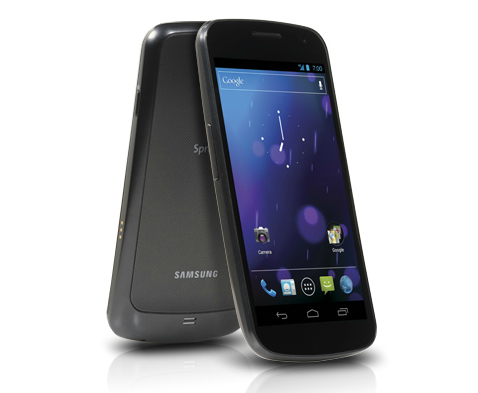
Software update in the works for reported Sprint Galaxy Nexus connectivity issues


The Sprint Community forums have been receiving complaints of connectivity issues with the recently released Samsung Galaxy Nexus — aside from the fact that no 4G LTE network currently exists for the device to connect to, that is. Users are reporting that the Galaxy Nexus on Sprint is having a hard time acquiring a connection to the carrier’s 3G data services. Some have returned their device to be issued a replacement, but others have been turned away as a software fix is apparently in the works.
A moderator on the forum says that Sprint and Samsung “are trying really hard to get [the update] released early next week,” but could not commit to an official date.

Tuesday, 3 April 2012

How To Update Your Device's Firmware

There are several ways to do this. First, you can check for updates using your device itself. Head to Settings > About Device. Here, you should see an option to search for software updates (use Wi-Fi/3g for larger downloads). If none are available, find out if your device delivers updates using desktop software - like Kies for Samsung, Motocast for Motorola, PC Companion for Sony and so on. Download and install the latest version of the software from the support section of the manufacturer's website and then connect your phone to the PC. If the software is already installed, it will most likely notify you of a phone update using pop-up notifications.

Custom Firmware
Should You Install It?
    This is debatable. On one hand, many will be satisfied with using launchers to customise their device. Using a launcher (like Go Launcher) can completely change the look of the phone/tablet - including the home screen/app screen, the icons and on-screen buttons. But if you're fed up of waiting for the latest 'official' Android version for your device, custom ROMs can offer a solution. They can improve on the original, manufacturer-supplied version by being lighter and more efficient (and with less boltware, making the device faster). But installing them can be tricky and you might lose your warranty. IT's something that you do at your own risk.

Google Nexus Phones : Why They're Different ?

For starters, they are free from user interface customisations that manufacturers pre-install on device(for instance, Samsung's Touchwiz, Sony Ericsson's Timescape, HTC's Sense and Motorola's MotoBlur). Nexus phones do not have 'boltware' - trial/limited versions or apps that you didn't ask for. For people who like a clean, fresh slate, a Nexus phone offers the stock Android look and feel with only most basic pre-installed apps. Finally, Nexus phones always get Android updates first - since there are no changes to be done to the interface, new versions of Android can be delivered much faster. Plus in some cases manufacturers may not even update low priority devices to the newer versions of Android.