Tuesday, 3 April 2012

Google Nexus Phones : Why They're Different ?

For starters, they are free from user interface customisations that manufacturers pre-install on device(for instance, Samsung's Touchwiz, Sony Ericsson's Timescape, HTC's Sense and Motorola's MotoBlur). Nexus phones do not have 'boltware' - trial/limited versions or apps that you didn't ask for. For people who like a clean, fresh slate, a Nexus phone offers the stock Android look and feel with only most basic pre-installed apps. Finally, Nexus phones always get Android updates first - since there are no changes to be done to the interface, new versions of Android can be delivered much faster. Plus in some cases manufacturers may not even update low priority devices to the newer versions of Android.

Screen Protector : Is It Necessary ?

I've heard so many people talk about a screen protector for their phone or tablet as a necessity - something that's purchased along with their device and replaced every few months.
Newer capacitive touchscreens have become very sturdy. Especially if you're sure that your device is equipped with Gorilla Glass screen (a brand name owned by Corning), you probably don't need a screen protector. To check whether your device has a hardened screen, look up the official specs.
  There are certain exceptions however. For instance, if you keep your cellphone without a cover, in a pocket that also keeps a lot of loose change and keys, then a screen protector might be a good idea. Or if a tablet screen is going to be roughly used.
  Some people also get screen protectors for reasons other than screen protection. You can get privacy guards (they hide the screen from people sitting off to the side) or you can get mirrored screen protectors that work as a mirror when the screen is off.

Draw Something : App Review

This addictive new app is a new take on Pictionary- an innovative way to get the digital generation hooked onto word games. Essentially, you can connect with your friends (you can use Facebook connect or directly with a username) or connect to random people to start a quick game. you're presented with words, which you draw on the screen, and your friend has to guess what you've drawn. Correct guesses will award you coins which you can use to upgrade your drawing tools/colours. Start with the free version which has limited words and upgrade if you get addicted. 


Compare Phone Size : Quick Tip

Phones come in various different sizes now. To find out which one will better suit your hands or your pockets, head over to www.phone-size.com. Here, you can compare sizes of phones side-by-side (along with basic details on dimensions). Set the display size and type first and then choose the phones you want to compare. You can add phones side-by-side as many as your PC display allows.
            

Android Assistant for Android : App Review

This free app (ad supported) depicts your device's CPU, memory, battery & storage details in easy-to-understand pie charts. There is also a built-in task manager with the option to setup an 'auto boost' after a set time, i.e., kill background apps to free memory. The app also offers tools to enhance the performance of your device; a batch uninstaller, startup manager, app backup and file manager.
Top 18 features to help you easily and efficiently manage your android phone.
Android Assistant is one of the most powerful and comprehensive management tools to improve your android phone's performance. It speeds up your phone's running speed and saves battery.
【Top18 features】
1. Monitor status (cpu, memory, battery)
2. Process Manager (Auto Boost and Quick Boost can distinguish different types of processes thus will not kill fatal system processes and apps in Ignore List.)
3. Cache Cleaner
4. System Clean(Browser History, Clipboard, Market History, Gmail History, Google Earth History, Google Map History)
5. Save Battery Settings(bluetooth, wifi, gps, auto-sync, orientation, haptic feedback, screen brightness, timeout)
6. File Manager
7. Startup Manager
8. Batch Uninstall
9. Battery use
10. Volume Control
11. Ringer
12. Startup Time
13. Startup Silent(Menu->Settings->Startup Silent)
14. System Info
15. Widget(Quick Booster[1,4], Shortcuts[4])
16. App 2 SD(Support android2.2 and later):Get more free internal phone storage space
17. Batch Installation
18. App backup and restore

KW: task kill taskkill ATK app killer tool tools taskmanager task manager system panel systempanel process manager processmanager memory taskpanel task panel Advanced Process android 2.3 Android Assistant
You can download it from Android Market.


thanks for reading this blog keep visiting again for all other updates, news, rumours, apps, games etc. your comments are most welcome. Please comment below and let me know my mistakes and help me in improving my blog.
                       We also provide Premium Android Apps for free. You can order them below in the comment section, we will try our level best to provide you those  apps. And dnt forget to like us on Facebook.


Samsung Galaxy Note Review: Awesome Phone, If You Can Handle The Size


Quick Review: The Samsung Galaxy Note pushes the size of smartphones to a new extreme.  In fact, this could very well end up being a niche device by sheer virtue of being awkwardly large for a good lot of users.  Those who appreciate the current trend towards larger smartphone screens will probably love it, though, especially with the powerful hardware and topnotch multimedia performance.

Is it a tablet?  Is it a smartphone? After you use the Galaxy Note, you know the answer's the latter.   At least, one that doesn't quite fit in your pocket and requires just a little more care to secure in hand.  The slim panel and rounded edges add to the premium design feel (which tapers down a bit due to the plastic parts), topped off with a gorgeous 5.3-inch Super AMOLED screen (1,280 x 800 resolution).  As you expect, images look bright and vibrant on that large screen, with videos looking gorgeous when playing across the display.  The size particularly makes browsing and typing a lot more comfortable compared to smaller devices.
As a phone, the Samsung Galaxy Note managed great call quality on both ends of the line.  Sound wasn't perfect (it's not quite landline-level), but there was no discernable noise and everything came through clear.  Battery is rated at a generous 26 hours of talk time.
One of the device's selling points is the inclusion of a stylus.  While not necessary for regular tasks,  you can use it to jot down memos faster than typing (there's a feature that converts handwritten notes to digital text) with great allowance in what you can write (far as I can tell, Samsung's 128 levels of pressure on the stylus seems accurate).  The more apps that roll out taking advantage of this, the better, although I wouldn't hedge my bets on that one, given Android's widespread fragmentation.  Those who enjoy sketching and illustrations should find this a fun tool.
The rest of the phone works much like any standard Gingerbread handset with TouchWiz running on top.  You get robust messaging, solid connectivity offerings (including 4G LTE) and a whole load of preloaded apps (we especially appreciate the ones that take advantage of the S-Pen).  Samsung's usual load of Hubs are onboard, too.
A 1.5Ghz dual-core CPU provides the muscle, allowing for speedy navigation and quick execution of apps.  Movies run without hitch, too.  The pair of cameras -- an 8.0 megapixel in the rear and a 2.0 megapixel in front -- are on par with the optics on Samsung's Galaxy line.  Full-size photos and HD video (it can take 1080p) both look amazing.
At the end of the day, the Samsung Galaxy Note isn't a phone for everyone.  But for those who want a large display, it sits in a pedestal all its own.  Price is steep, though, at $299.99 on a new two-year agreement with AT&T.

thanks for reading this blog keep visiting again for all other updates, news, rumours, apps, games etc. your comments are most welcome. Please comment below and let me know my mistakes and help me in improving my blog.
                       We also provide Premium Android Apps for free. You can order them below in the comment section, we will try our level best to provide you those  apps. And dnt forget to like us on Facebook.

Micromax P-300 ICS tablet spotted on Homeshop18, priced at Rs. 7,999

Android 4.0 (Ice Cream Sandwich) tablets have just started entering the market. All the major tablet and smartphone manufacturers have new devices being launched in the Indian market. Handset manufacturer, Micromax was expected to launch a tablet in the Indian market and it appears that it’s not too far from the final launch date now. The tablet, being called the P-300 has already made an appearance on Homeshop18’s site. The P-300 is being priced at Rs.7,999 - i.e. lower than most tablets being sold in the market. The standard features of the tablet are known, but there’s no mention of the processor on the site.


Micromax ICS tablet


The tablet has a 7-inch capacitive multitouch touchscreen, which is good to hear as some of the cheaper tablets in the past have included resistive touchscreens which haven’t offered the best possible experience. The resolution is unknown, but it’s safe to assume that it would be somewhere in the 854x480 range - similar to other tablets priced under the Rs.10,000 bracket. There’s 512 MB of RAM, 4GB of internal storage and Homeshop18 mentions external storage as 32GB. All popular media formats ranging from the commonly used AVI video format to the FLAC lossless audio formats are supported. The integrated camera isn’t too great - it uses a 0.3MP sensor, which should be useful for video chatting.
Full HD 1080p video rendering is possible as well and support for a 3G dongle is present, so you can easily get Internet access on-the-go. Few details on the battery are present, but Micromax claims that the P-300 can handle four hours of browsing. The product isn’t ready to ship just yet, but interested parties can add their details to be notified when the product is available. Micromax is said to be offering a year’s worth of warranty. Clearly, ICS is the future as far as Android tablets are concerned. Honeycomb (Android 3.0) was the platform of choice for most of the high-end tablets, but with ICS, it looks like tablets across the price ranges will be able to handle it.


thanks for reading this blog keep visiting again for all other updates, news, rumours, apps, games etc. your comments are most welcome. Please comment below and let me know my mistakes and help me in improving my blog.
                       We also provide Premium Android Apps for free. You can order them below in the comment section, we will try our level best to provide you those  apps. And dnt forget to like us on Facebook.

Tuesday, 21 February 2012

Best App For Cricket Score Update

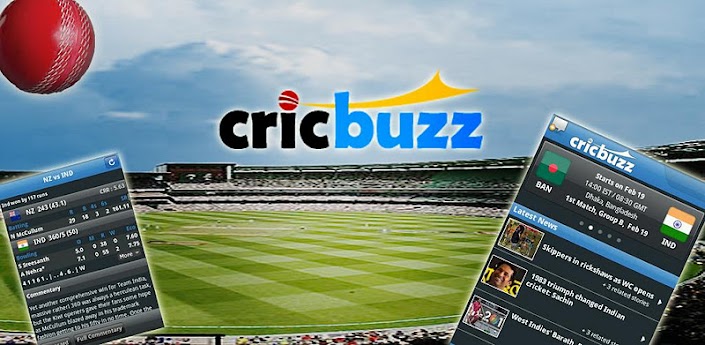
Cricbuzz Cricket Scores & News


This app is for all the cricket lover all across the world. With average rating of 4.7 by 9,346 users and 5★ by 7,056 users it is not one of the best but the best cricket app available for Android.In this app you will get the fastest cricket score updates and ball-by-ball commentary available on the web via CricBuzz directly on to your Android. If you can't be at the match live, CricBuzz's commentary (ball by ball) is definitely the next best thing, with its incredibly fast speed ensuring you get to read about the action as it happens on the field. 


With an intuitive interface that makes browsing easier than it has ever been, find scores, commentary and news for all Test matches, ODIs, Twenty20 Internationals alongwith all prominent series. Also included are comprehensive match galleries, player profiles, news, international schedules, point table, and radio commentary - all at the slide of a finger. Its radio commentry is one of its kind available in the Android Market to which no app can compare. Through this app you can subscribe for wicket by wicket and 5 over update which will real time update update the score, fall of wickets etc on the home screen. With its nice widget and all other features you will surely love this app. You can download it from Android Market. 
                                   - a must-have for all cricket fans -               
                          thank for reading this blog keep visiting again for all other updates, news, rumours, apps, games etc. your comments are most welcome. Please comment below and let me know my mistakes and help me in improving my blog.
                       We also provide Premium Android Apps for free. You can order them below in the comment section, we will try our level best to provide you those  apps. And dnt forget to like us on Facebook.

Monday, 20 February 2012

Android 5.0 ( Jelly Bean) Release rumour or true........????


Android 4.0 hasn't even rolled out to most devices and already the first rumors that a new tasty desert –Android 5.0 Jelly Bean– is cooking up in Google's kitchen are hitting the net. A Taiwanese manufacturer clams that Google is eying a release of the next big thing in Android in the second quarter of 2012. The overdrive-update will supposedly allow users to dual boot Windows  8 and Android 5.0 on a single device . Excited? If it's true, then we certainly are!
the rumor goes, also include many features from the Chrome OS. Manufacturers will also supposedly have the choice of including Android-only support or an Android / Windows dual-boot when they ship their tablets. BTW: switching between operating system won't require you to reboot your device.
Does this sound too good to be true? For yours truly, it does. But this wouldn't be the first time that Googlerevolutionized Android in such a short time frame. Many here at the offices think this rumor will shortly become fact so stay tuned for more information about Android 5.0 as it becomes avilable.

Sunday, 19 February 2012

Android Devices Getting Android 4.0 Update

The source code for Android 4.0 Ice
Cream Sandwich was released to the
public back in November of 2011. At
that point, OEMs had the option of
beginning work on updates for their
existing devices. Android 4.0 is the
biggest departure in design and
functionality the platform has ever
seen, and it’s also the most polished.
It would be nice if everyone could be
surprised by the lack of progress in
the last few months, but things have
not made much progress since we
last looked . Some devices have seen
updates, but the vast majority are still
waiting. Let’s take a look at what the
current status of devices from each
OEM are, now that we’ve got more to
go on.
Motorola
Motorola made some news yesterday
when its online update table was
updated. We have to hand it to
Motorola when it comes to
transparency. It’s nice to have a
handy table to refer to when
speculating on what devices are
getting updates. It also sheds some
light on why most OEMs don’t do
this; that table is depressing .
Motorola has sorted out the update
timeline for a number of devices with
the Xoom Family Edition getting its
update in Q2 2012. The Wi-Fi only
Zoom had its update last month, so
good job on that front. Coming in Q3
2012 will be the Atrix 4G, Atrix 2,
Photon 4G, and Motorola Xyboards.
The third quarter is a long time to
wait, but at least there is a timeline
posted.
Motorola’s other devices, including
the Droid Razr, Droid Bionic, Droid 3,
Droid 4, Droid Razr Maxx, Xoom LTE,
and Droid Xyboards (the Verizon
versions) are all listed as “In
Evaluation & Planning.” We know that
these devices will be updated per
Motorola’s previous statements, but
we had hoped it to be sooner rather
than later.
The perplexing thing is that Moto
switched to TI OMAP for these
devices, which should reduce the
amount of work needed to port ICS.
Google builds Android on OMAP now
because that’s what the Galaxy
Nexus runs. It seems likely that
Motorola's close relationship with
Verizon could be slowing the process.
Most of these devices are on Verizon,
so the listing could simply be
indicating that carrier testing could
take an indeterminate length of time.
If you’re looking for a good deal on a
phone, and want updated software,
Motorola might not be the place to
go. It’s possible that updates for the
Razr will sneak in during Q2, but the
table isn’t making us hopeful.
Samsung
The current king of Android is the
Korean OEM Samsung. While Google
has chosen Samsung to make the
last few Nexus devices, its reputation
for updates hasn’t been great. It took
the better part of a year to get
updates to Android 2.2 from 2.1. A
sad state of affairs to be sure.
We’re going to go out on a limb here
and say that anything running a
Hummingbird SoC from Samsung is
going to stay on Gingerbread. That
means all the Galaxy S phones like
the Captivate and Vibrant will be
staying put. These devices were
heavily customized for carriers, and
there’s just no one left to pay for the
development of those updates.
The Galaxy S II is getting Android
4.0 . There is no doubt it’s coming,
but we don’t know when. Samsung
has had the ICS code a little longer
than most because it built the Galaxy
Nexus. Samsung’s TouchWiz skin has
also gotten lighter in the last year, so
expect an easier upgrade path going
forward.
A date of March 1 for a Galaxy S II
update has been suggested, with a
Galaxy Note update coming soon
thereafter. We can’t tell you if that’s
true, and the carrier-specific versions
will still have a bit of a wait after any
international rollout, but maybe not
too long. Samsung has confirmed that
the first quarter will bring updates for
phones like the Galaxy S II (all
variants), and the various flavors of
Galaxy Tab.
HTC
The original Android OEM has been
having a tough time as of late, and
we worry a bit that the drive to get
new phones out the door might
negatively affect updates. HTC has a
heavy skin and a number of
completely custom stock apps, so it
takes a little longer to get everything
sorted out. HTC also has a strike
against it because it released a ton of
phones last year.
Most of HTC’s portfolio has the
annoyingly vague distinction of “early
2012” as the upgrade date. It’s good
that they are at least willing to say
“early” at least. Devices in this
Sensation family are happening in
March to kick things off. The HTC
Rezound, Amaze 4G, and the Vivid
on AT&T will get ICS next. The
Thunderbolt is still an unknown, but
we’re feeling pretty skeptical about its
chances.
Any variant of the Desire HD, Evo 3D,
or Incredible S are just listed as “later
this year” by HTC. That might not
sound great, but it’s better news than
users of the Evo 4G or Droid
Incredible are getting. There is little
chance that these devices will be
getting the ICS update. Likewise, the
Flyer just got an update to
Honeycomb and we don’t see it
progressing beyond that. No word yet
on the Jetstream, but odds are
you’ve never seen one of those in
real life.
Sony
Now that Sony has dropped the
Ericsson surname, the company may
have turned over a new leaf. After
initially announcing that all the 2011
Xperia phones will get ICS, Sony has
tightened up the timeline a little.
Anyone using an Xperia phone that
was released in 2011 can expect to
get a taste of Ice Cream Sandwich in
the March/April time frame. Devices in
this category include the Arc, Neo,
Play, and Active.
Sony’s tablets are also getting an
update this spring. No more specific
range has been decided on here, but
it’s not unrealistic to expect the same
March/April time frame.
LG
We don’t really have much
confidence in LG’s update cycle as
of late. After initially staying silent on
updates, LG has announced that its
high-end devices will be updated. In
that announcement, though, they only
talked about phones in the Optimus
line like the Optimus 2X. Where is
the T-Mobile G2x in all this? In
trouble, most likely.
On the surface, the G2x is a stock
Android device, but if you talk to
modders, they’ll tell you that there is
a lot of odd LG framework code on it
as well. It’s not clear what LG has
been up to with the software on the
G2x, but it doesn’t seem to be
putting a lot of effort in. T-Mobile has
moved on from the device, and it was
unavailable due to serious software
bugs for a large chunk of its run, so
the carrier may not be interested in
further support.
The devices that LG does choose to
update will start to see code drops in
Q2 with the Optimus 2X, Optimus
LTE, and the Prada Phone. In Q3, the
Optimus Black is up to bat along with
the Optimus EX. Most of these
devices are not US releases, but
don’t count the LG Nitro HD out yet.
Asus
Once nearly absent from the
consumer electronics market, Asus
makes some of the most desirable
Android tablets available. Happily,
they are also keen on updating the
devices. The just released
Transformer Prime is already getting
its Ice Cream Sandwich update . The
update fixes a number of bugs, and
improves the performance of some
radios.
The original Transformer is on the
update list, but the 4.0 update was
supposed to have been done by now.
The Transformer was one of the best
selling Honeycomb devices, so there
are plenty of users out there to be
upset. Asus is now looking at March
as the deadline for getting ICS on the
Transformer.
The EeePad Slider is a less popular
version of the Transformer with a big
slide-out keyboard. It’s also slated
for an ICS update, but Asus doesn’t
talk about the Slider as often. We
expect it will either be updated at the
same time as the Transformer, or it
will happen quietly at some point in
the following weeks.
Acer
Acer has a few Android tablets for the
more budget conscious consumers,
and they have been fairly transparent
about the update cycle. The Acer
Iconia A200 got its ICS update over
the weekend . This is a fairly new
device with a Tegra 2 SoC and feels
very last-generation. Still, it’s one of
the few devices with Android 4.0.
Acer’s older tablets, the Iconia A100
and A500 are getting ICS, but Acer
tweeted yesterday that the update
will not be ready until mid-April .
That’s the sad, but expected state of
Android 4.0 updates.
A fair number of
phones and tablet will get the update
in Q2 2012, but that's still going to
be a few months too long in our
book. How does your device look? If there is no official word on an update, are you looking at custom ROMs
instead?